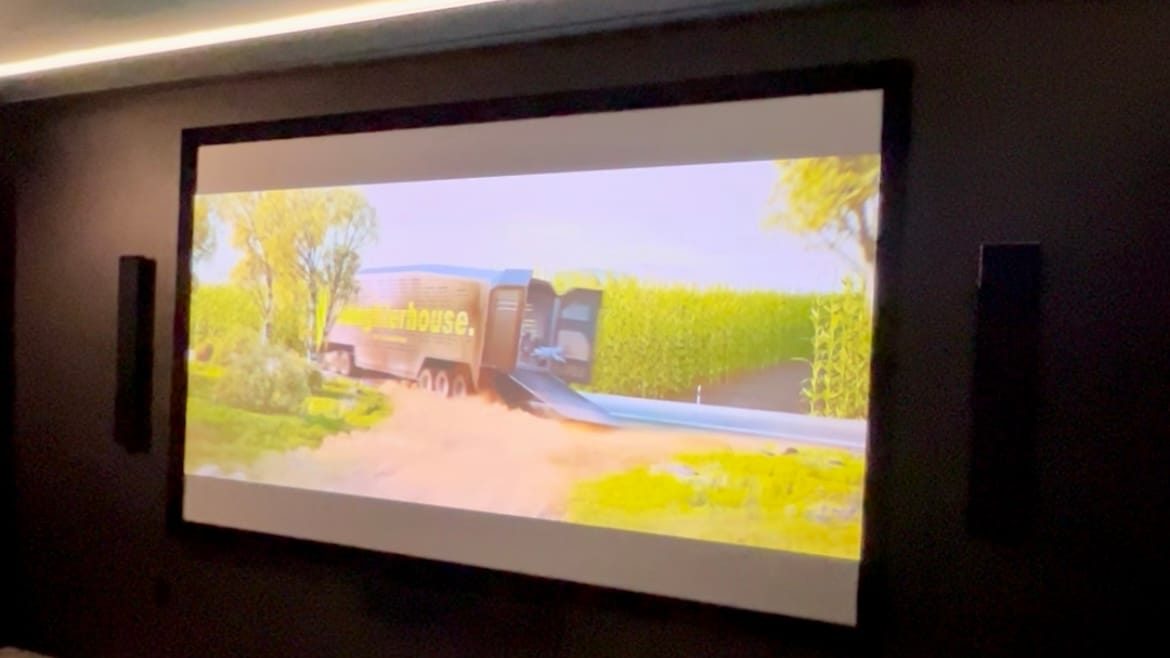
Free Guide · New Construction · San Antonio

New Construction Prewire Guide for San Antonio Custom Homes

What every custom home owner should wire for before the drywall goes up. From KZ Audio & Video, running low voltage in San Antonio and the Texas Hill Country since 1999.

Since 1999
In the Audio Business
Free Consult
No Pressure, No Pitch
Clean Install
We Leave It Like We Found It
5.0 Stars
34 Google Reviews

The Short Answer

What Should You Prewire in a New Custom Home?

Run the wire for everything you might want, not just what you are sure of today. A cable run costs a few dollars at rough-in and hundreds after drywall, plus a wall repair. At minimum that means power, cable and a recessed media box behind every planned TV; in-ceiling or in-wall speaker wire for surround sound and whole-home audio; full surround and overhead Atmos runs plus two subwoofer runs in a dedicated theater; hardwired network drops in every main room and wired access point locations; camera wiring at every exterior door and the driveway; security contacts at every door and window before insulation; conduit from the TV wall to an OnQ wiring panel where every line starts; and a flex tube from that panel out to where the internet provider comes in. Outside, plan an outlet for the landscape lighting power supply and lay its wire before the landscaping is finished. You do not have to buy the equipment now, just run the wire.

The one rule that saves the most money: wire for where you might want it, not just where you are certain today. Pre-wire is cheap. Retrofit is expensive. When in doubt, run the wire and cap it.

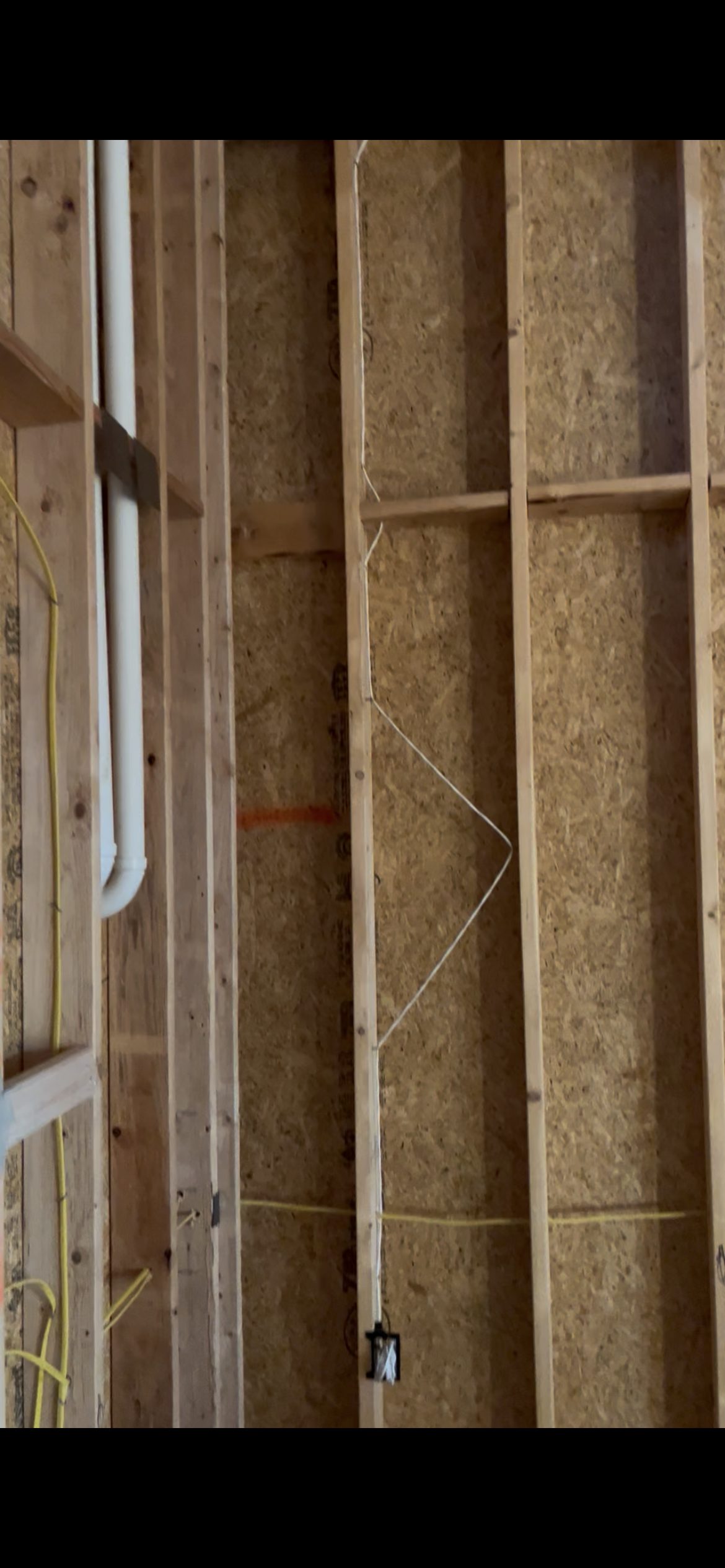
Room by Room

The Prewire Checklist

Living Room / Great Room

  • Power and cable behind the primary TV location (in-wall rated)
  • Recessed media box behind the TV, sized to house a Sonos amp and the cabling for a Frame TV's one-connect box
  • Conduit from the TV wall down to the equipment location, so future cables can be pulled without opening walls
  • In-ceiling or in-wall speaker wire for surround sound
  • Subwoofer wire to the corner or planned sub location
  • At least one hardwired network drop near the TV

Media Room or Dedicated Home Theater

  • Projector power and signal run to the ceiling mount point
  • Screen power (for a motorized screen) at the front wall
  • Full surround speaker wiring: front left, center and right, side and rear surrounds, and overhead Atmos locations
  • Subwoofer runs (a dedicated theater benefits from two)
  • Equipment rack location with power, network, and ventilation

Golf Simulator

  • Power and signal to the ceiling location for the projector or an overhead launch monitor
  • Power at the hitting area for the launch monitor, computer, and screen
  • Two hardwired network drops in the room (wired beats Wi-Fi for anything that stays put)
  • Speaker wiring if you want sound in the room
  • Conduit from the equipment location to the screen wall, so the gear can be upgraded later without opening a wall

Simulator rooms are priced per room rather than off a list, because ceiling height, room depth, screen size, and the launch monitor you choose all change the build.

Primary Bedroom

  • TV wall power and cable
  • Recessed media box behind the TV for a Sonos amp or Frame TV cabling
  • Optional in-ceiling speakers for whole-home audio
  • Network drop

Outdoor Living, Patio, Pool

  • In-ceiling speaker wire for covered patios. Use direct-burial rated wire only for in-ground or landscape speaker runs
  • Power, signal, and a recessed media box for an outdoor-rated TV on covered patios
  • Network drop for a wireless access point (outdoor Wi-Fi dies fast without one)
  • Power and wire routed along the eaves for permanent exterior lighting, plus a planned spot for the controller
  • An electrical outlet where the landscape lighting power supply will plug in, placed off the front of the house
  • Landscape lighting wire laid out to the light locations before the landscaping is finished, so nobody has to dig up a finished yard later

Home Office

  • Two hardwired network drops
  • In-ceiling speaker wire for background audio
  • TV or display wall if the room is used for video calls

Whole-Home and Infrastructure

  • In-ceiling speaker wiring in the kitchen, dining room, and main hallways for whole-home audio
  • A Legrand On-Q (OnQ) structured wiring panel in the media closet, where every line in the house starts: internet, TV, network, cameras and security (a 30-inch panel on a full custom home)
  • Service out: a 1-inch flex tube from the OnQ panel out to the service location near the exterior electric meter, with a pull string, so fiber, coax, Cat6 or any future internet provider line pulls straight in
  • A garage apartment or casita gets its own flex tube to service and its own wire management can
  • Hardwired network drops in every main room (Wi-Fi is for phones, everything that sits still should be wired)
  • Camera wiring at every exterior door, the driveway, and the main entry
  • Security prewire before insulation: contacts at every door and window, motion detectors, glass break sensors, and two keypad locations
  • Hide-A-Hose central vacuum: the inlets, the tubing, and the low voltage wire back to the power unit go in before drywall, because the hose retracts into the pipe inside the wall. Pick the power unit spot (usually the garage) now
  • Conduit from the attic to the electrical panel for future solar

Before Rough-In

The Decisions to Make Before Rough-In

  1. Where will your equipment live?

    Every system needs a home for the receiver, the network gear, and the cable boxes. Pick that spot early, put the OnQ panel there, and wire everything back to it, including the service tube out to where the internet provider comes in.

  2. How many TVs, and where?

    Mark every wall that might ever hold a screen. Wire them all.

  3. Do you want music in more than one room?

    If yes, whole-home audio has to be wired before drywall. It is very hard to add later.

  4. How strong does the Wi-Fi need to be?

    Stone walls, foam insulation, and two stories block signal. Plan wired access point locations now.

  5. Cameras and security?

    Wired cameras are more reliable than wireless, and a security system has to be wired at every door and window before insulation. Neither one requires monitoring now, it just has to be in the walls.

  6. Lighting outside the house?

    Permanent eave lighting needs power and a wire path chosen before the soffit closes. Landscape lighting needs an outlet planned where its power supply will plug in, and its wire laid before the landscaping is finished.

Ask Before You Start

What to Sort Out With Your Builder

  • Who is running the low voltage wiring, and are they an AV specialist or a general electrician?
  • Will the AV design be coordinated with the framing and electrical schedule, or added at the end?
  • Is there conduit planned so cables can be upgraded later without opening walls?
  • Which rooms get wired now, and which get conduit so the option stays open later?

An electrician is excellent at electrical. Audio and video is a different craft. The best results come from an AV specialist who works alongside your builder from the start.

Avoid These

The Five Most Expensive Prewire Mistakes

  1. No conduit. Without it, every future upgrade means opening a wall.
  2. Skipping the second subwoofer run in a dedicated theater. A second sub is one of the biggest upgrades to how a theater sounds, so wire for two. A living room is usually fine with one.
  3. Forgetting overhead speakers in a theater. Dolby Atmos needs ceiling speakers, and they cannot be added cleanly after drywall.
  4. Relying on Wi-Fi for everything. Hardwire anything that stays in one place.
  5. Waiting too long to involve AV. The best time is right before your electrical walkthrough, so power can be added at TV locations before the walls are closed.

Timing

When to Bring In Your AV Company

Getting us in before your electrical walkthrough costs you nothing extra and saves you the most money. Waiting until the end costs the most.

  1. During design

    We review the plans with you and your builder.

  2. Right before your electrical walkthrough

    We walk the home with you, so any outlets needed at TV locations can be added while the electrician is still planning.

  3. At low voltage rough-in

    Speaker, TV, network, camera, and security wiring goes in before drywall.

  4. At trim-out

    Devices, speakers, and plates go in.

  5. Before move-in

    The system is installed, calibrated, and you are walked through it.

Wiring a New Home: The Questions We Hear Most

Wire for everything you might want, not just what you are sure of today. A cable run costs a few dollars at rough-in, and the same run after the drywall is up can cost hundreds of dollars plus a wall repair. At minimum: power, cable and a recessed media box behind every planned TV; in-ceiling or in-wall speaker wire for surround sound and whole-home music; hardwired network drops in every main room plus wired spots for Wi-Fi access points; camera wiring at every exterior door and the driveway; security contacts at every door and window before insulation; and conduit from the TV wall to the equipment location. You do not have to buy the equipment now. The low voltage goes in before drywall, and the install comes after.

Yes, and do it before insulation. That means contacts at every door and window, motion detectors, glass break sensors and two keypad locations. You do not have to sign up for monitoring to benefit from having it in the walls, and wiring a finished house costs a multiple of doing it at rough-in. KZ Audio & Video holds a license from the Texas Private Security Board, and we run the security wiring in the same low voltage rough-in as your speakers, network and cameras.

Yes. Wired cameras are more reliable than wireless ones, and the wire is cheap to run before drywall. Plan a camera at every exterior door, the driveway and the main entry, each wired back to the spot where your network gear will live. Decide your coverage before the walls close, even if you add the cameras later: the wire just has to be there. The low voltage goes in at rough-in, and the cameras go up after.

Yes. Wi-Fi is for phones; everything that sits still should be wired. That means hardwired network drops in every main room, two in a home office, at least one near every TV, and two in a golf simulator room, all run back to one OnQ structured wiring panel where internet, TV and phone come together. Your movie nights and video calls depend on it. It all goes in with the low voltage at rough-in, before drywall.

Plan wired access points before the walls close. Stone walls, foam insulation and two stories block Wi-Fi signal, so run a network cable to each access point location, plus one for the patio (outdoor Wi-Fi dies fast without one), all back to a central network location. Then hardwire everything that stays put, like TVs and the home office, and leave the Wi-Fi for phones and laptops. The low voltage goes in at rough-in, and the access points go up after.

From the Field

Why Every TV Wall Gets a Network Cable

The worst Wi-Fi we have ever seen was in a new build of about 2,500 square feet. A house that size is usually covered by three wireless access points, and this one had three: one upstairs and two downstairs, one of them just outside the primary bedroom. Walk through the bedroom door, past the TV wall, and the internet dropped off completely before you reached the bed, about 12 feet away.

The fix only worked because we had run a hardwired network cable behind the TV at prewire. We put a small network switch back there, so the TV stayed hardwired, and hid a fourth access point behind the TV. From the bed, the owner got about three bars. We never proved the cause. Our best guess is interference from outside, since a big open ranch sat behind the house. The access points were set to pick their own channels; today we would also try setting them by hand.

The lesson: run data behind every TV. It is the cable that lets you fix the problem nobody can predict.

  • 12 ft

    From the TV wall to the bed, where the internet dropped off completely.

  • 3

    Access points that usually cover a house of about 2,500 square feet. This house needed a fourth.

  • 1 cable

    Behind the TV, run at prewire. It is what made the fix possible.

Get Your New Home Wired Right

KZ Audio & Video has run low voltage on custom homes across San Antonio and the Texas Hill Country for over 20 years, with our own crew from prewire to the final walkthrough. We review your plans at no charge and show you exactly what to wire for.

Serving San Antonio  ·  Boerne  ·  Canyon Lake  ·  New Braunfels  ·  Hill Country

Call or Text: (210) 981-4098