

KZ Audio & Video · San Antonio · Since 1999
Does a Projector Room Need to Be Completely Dark?
- Since 1999
- In the Audio Business
- Free Consult
- No Pressure, No Pitch
- Clean Install
- We Leave It Like We Found It
- 5.0 Stars
- 34 Google Reviews
Quick Answer
A projector room does not need to be completely dark, but it does need controlled light. The rule: ambient light should not exceed 1/10th of the projector's brightness. A 2,000 ANSI lumen projector tolerates up to 200 lux of ambient light, a dimly lit room with no direct light on the screen. A 3,500–5,000 lumen laser projector can handle moderate room lighting. Full daylight from unshaded windows (10,000–100,000 lux outdoors) overpowers any projector on a standard screen. With a high-gain Ambient Light Rejection (ALR) screen and a 3,500+ lumen laser projector, you can watch in a room with normal daytime indoor lighting (200–500 lux) with acceptable image quality. For the best image quality: seal the room from direct sunlight, use dimmable bias lighting behind the screen (6,500K), and keep ambient light below 50 lux. A good ALR screen combined with a bright laser projector handles the rest.
Written by Kelly Zauber · KZ Audio & Video · San Antonio, TX · (210) 981-4098
The Light Math
Projector image quality is determined by the contrast ratio between the projected image and the competing ambient light. A 2,000 lumen projector creates approximately 12–15 foot-lamberts (ft-L) of brightness on a 120" screen with a 1.0 gain screen. Standard indoor ambient lighting adds 20–50 lux of reflected light to the screen. At 50 lux, a 15 ft-L image has a contrast ratio of approximately 60:1, watchable for casual viewing, but not cinematic. In darkness, the same projector produces 1,000:1+ contrast from its own native contrast ratio.
How Much Light Each Scenario Produces
| Situation | Approximate Lux | Projector Tolerance |
|---|---|---|
| Complete darkness | 0–1 lux | All projectors, maximum quality |
| Candlelight / very dim | 10–30 lux | All projectors, very good quality |
| Dim ambient (low lamps) | 50–100 lux | 1,500+ lumen, good quality |
| Normal interior lighting | 200–500 lux | 3,500+ lumen + ALR screen, acceptable |
| Brightly lit room | 500–2,000 lux | 5,000+ lumen + high-gain ALR screen |
| Window with diffuse daylight | 1,000–5,000 lux | Not recommended for any projector |
| Direct sunlight on screen | 50,000+ lux | No projector, use a TV |
ALR Screens: How They Change the Equation
An Ambient Light Rejection screen uses a specialized micro-structure on the surface to preferentially reflect light coming from the projector (usually in front and above) while rejecting light coming from the sides and ceiling (ambient sources). The best ALR screens reject 85–90% of ambient light while maintaining 80% of the projected image brightness.
Practical result: a 2,500 lumen projector with a 0.8 gain ALR screen performs like a 4,000+ lumen projector on a standard screen in ambient light conditions. ALR screens are the single most effective upgrade for projectors used in rooms with any ambient light.
Top ALR screen brands: Elite Screens, Stewart Filmscreen, Grandview, Screen Innovations. Prices range from $400 for a basic fixed ALR to $4,000+ for large-format motorized ALR.
Bias Lighting: The Right Way to Manage Dark Room Light
Bias lighting, strips of LED lights placed behind the screen, are not ambient light. They reduce eye strain in a dark room and improve perceived contrast by giving the eye a reference point. The correct spec is 6,500K (neutral white, matching D65 cinema standard) at low intensity (approximately 10% of screen brightness). Do not use RGB or warm-colored bias lighting, it shifts your color perception and makes calibrated image colors look wrong.
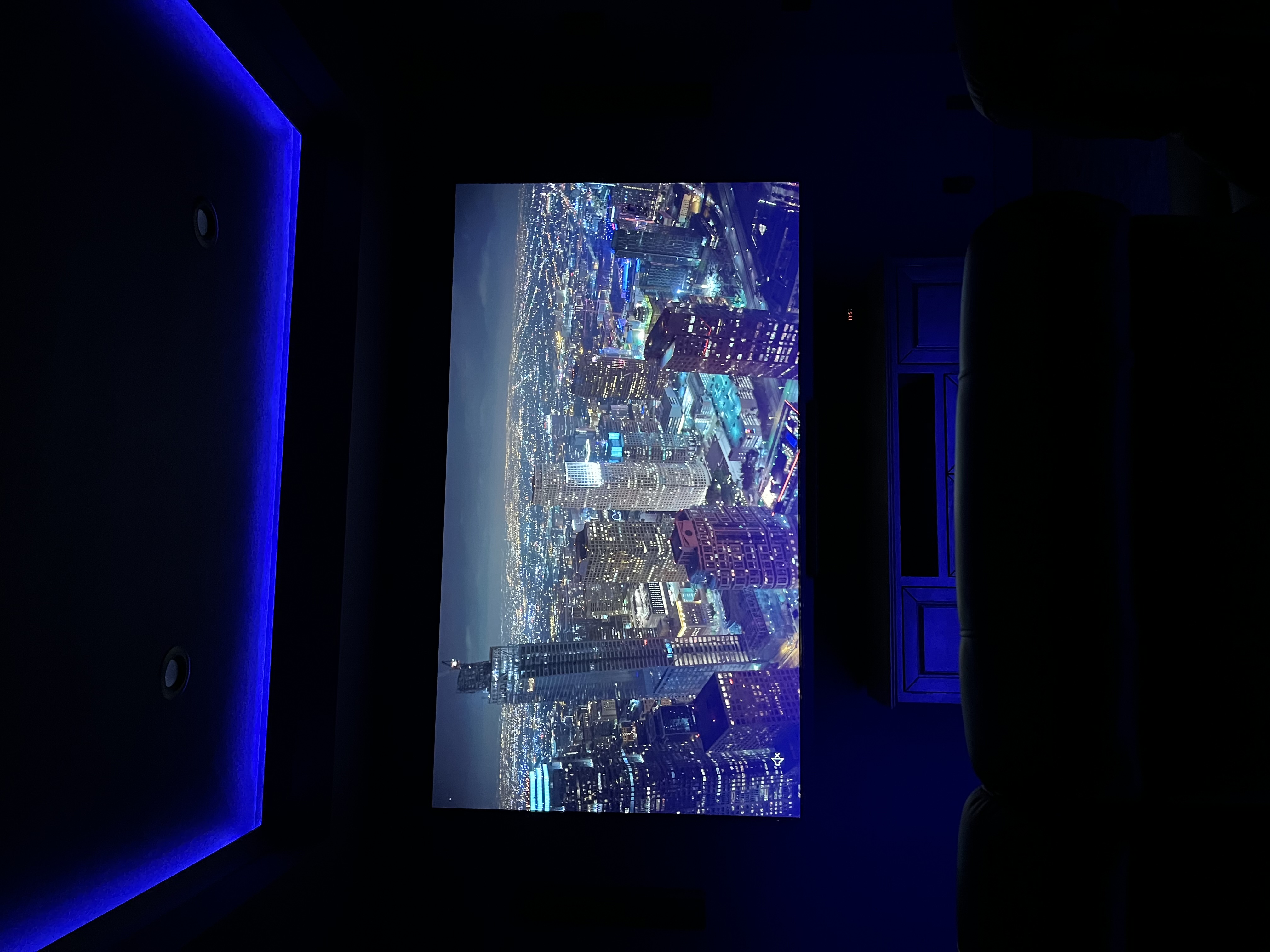
The Ideal Dedicated Theater Lighting Setup
- Zero windows, or blackout shades rated at 100% light block (not just "room darkening")
- Dimmable overhead lighting, independent circuit, dimmed to 0% during viewing
- Step lighting on the floor for safety when moving in darkness, motion activated or tied to the dimmer
- Bias lighting at 6,500K, low intensity, behind the screen
- Matte black ceiling and dark walls, reduces stray light reflection from the projected image onto the ceiling and back onto the screen (secondary reflections)
Pro Tip: From 25+ Years of Installs
Paint the wall behind and surrounding the screen flat black or dark charcoal before installing any projector screen. Light from the projected image bounces off the walls surrounding the screen and reflects back, washing out the image in the area near the screen edges. Black walls around the screen create a visual frame that makes the image appear to have higher contrast and cleaner edges, a genuine perceptual improvement for zero additional hardware cost.
San Antonio & Hill Country Context
Dedicated theaters in Hill Country custom homes almost always have dark ceilings and wall treatments as part of the build spec. For finished homes being retrofitted with a theater, the most common oversight is white or off-white walls adjacent to the screen. We treat the surrounding wall as part of the optical system and include paint or acoustic panel specification in every dedicated theater project. The room is part of the display, not just the housing for it.
KZ Audio & Video installs throughout San Antonio, Stone Oak, Boerne, Helotes, Canyon Lake, New Braunfels, and the Texas Hill Country. Book a free consultation →
Explore KZ Services & Pricing
Need a Real Answer for Your Room?
Every room is different. Kelly has been solving AV problems in San Antonio homes since 1999. Free in-home consultation: we come to you, assess the space, and give you a written quote.
Serving San Antonio · Boerne · Canyon Lake · New Braunfels · Hill Country